


AI Interior Design Home Decor
4.3143.00 Reviews
App Specs
- Version
- 14.7.4
- Updated On
- License
- Free
- Downloads
- 1,000,000+
- Developer
- Identifier Studio
- Categories
- House & Home
- Platform
- Android, iOS
Screenshots
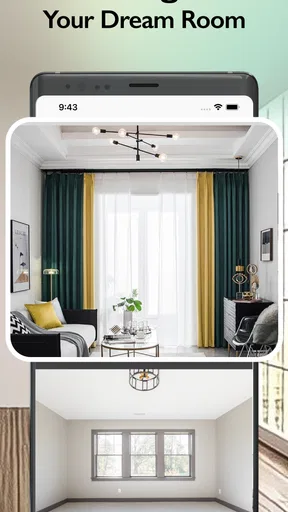
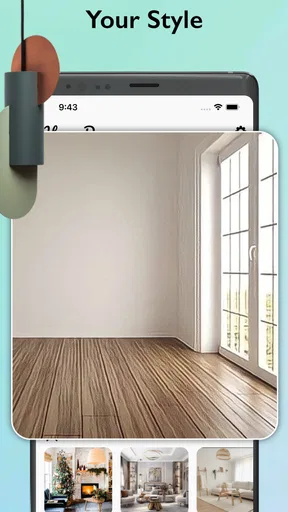
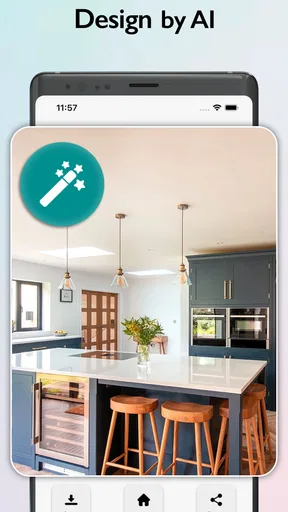
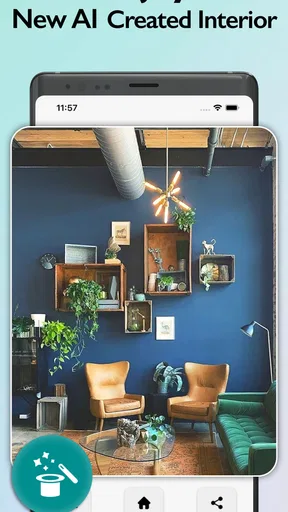
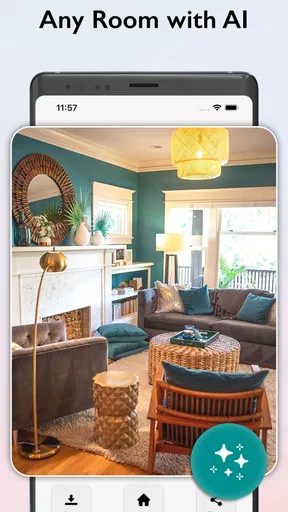
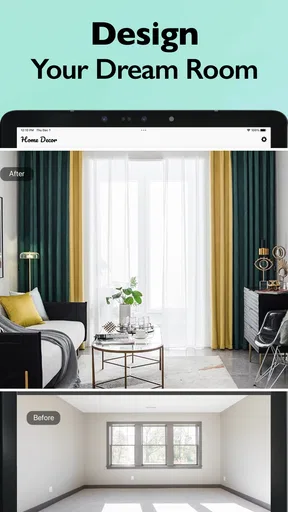
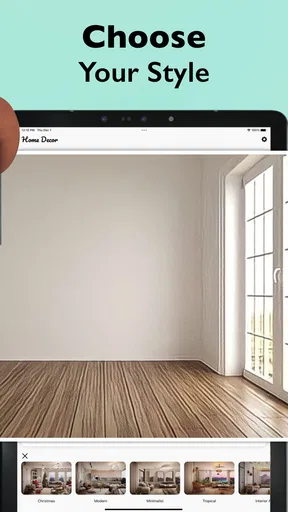
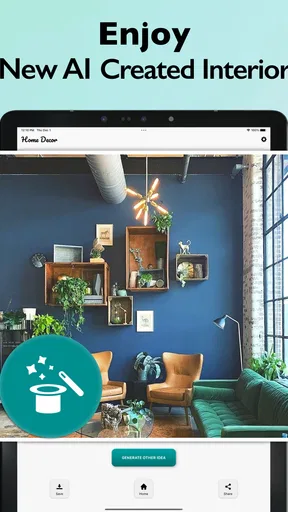
 Analysis by AppCompare
When I’m deciding whether to try an AI room-design app, I want to know one thing first: will it help me make a better decision about my actual space, or will it mainly produce an attractive image? That distinction matters. A generated room can spark ideas, but it is not the same as a measured floor plan, a reliable shopping plan, or advice from someone who has seen the room in person. I’d treat this app as a visual starting point rather than a substitute for those tools.
AI Interior Design Home Decor is a free home-design app from Identifier Studio, with optional in-app purchases priced from $3.99 to $39.99 per item. It has a 4.2 average from around 25,000 ratings, and more than a million installs. Those figures suggest plenty of people have tried it, but they do not tell me whether its ideas will suit a particular home. The useful test is whether its image-led approach helps you think through a room you are genuinely planning to change.
Choose it for ideas, not construction plans
The app is most appealing if you can look at a room and sense that it needs a different mood but cannot yet picture what that means. A photo-based design workflow can make possibilities easier to discuss: warmer or cooler colors, a calmer look, or a more noticeable change in style. That is particularly handy when you are preparing to redecorate a spare room, refresh a rental without committing to major work, or gather ideas before talking with family or a decorator.
I would be more cautious if your decision depends on exact dimensions, clearances, building work, or whether a specific piece will fit through a doorway. A visual redesign is not a tape measure. Before spending money, measure the room and check furniture dimensions separately. The image can help you judge the general direction, while practical decisions still need ordinary checks.
A useful workflow for a real room
Imagine you are considering a refresh of a living room but do not want to buy a sofa and discover that the new look clashes with the floor or curtains. I would start by taking a clear, reasonably straight-on photo in daylight, with as much of the room visible as possible. Then I’d use the design result to identify what I actually like: perhaps the balance of colors, the amount of visual clutter, or the overall atmosphere. That gives me a short list of ideas to test, rather than treating one generated image as a finished plan.
A useful, less obvious habit is to keep the room’s fixed features in mind while reviewing a result. Flooring, windows, radiators, and awkward corners may be difficult to change, so ask whether the proposed look still makes sense around them. If an image seems appealing only because it appears to erase an inconvenient feature, that is a cue to adapt the idea instead of copying it. I’d also compare a few directions before settling on one; a single result can make the first suggestion feel more convincing than it deserves.
For the clearest comparison, photograph the same room from the same spot when exploring different looks. That makes changes easier to judge and reduces the temptation to confuse a different camera angle with a better design. Keep a note of what you want to preserve, too: a favorite chair, a family table, or a wall color you are not ready to replace. The goal is not to let a design tool overrule your taste, but to use it to make your preferences more specific.
Worth Reading Before You Choose

Flipboard Shows What News Apps Must Do Beyond the Feed

Switching to Android Auto Means Rethinking Your Driving Routine

Google Calendar Makes a Crowded Week Easier to Manage

Ludo King Makes the Most of the Minutes Between Plans

Baby Panda World Brings Quick Play to Modern Phones, but Its Game Library Feels Busy

ESPN’s Live Game View Makes Following Close Games Easier
Where its approach has an edge
Compared with browsing room photos on social media or in decorating magazines, an AI redesign app starts with your own space. That can make inspiration feel more relevant than looking at a beautiful room with a different layout, light, and set of features. Compared with drawing a room from scratch in a planning tool, starting from a photograph may also feel less demanding if you simply want a quick visual prompt rather than a detailed layout exercise.
That convenience comes with a trade-off: a polished-looking image can imply more certainty than it deserves. Treat it as a way to explore style, not proof that a color will look the same in your lighting or that the depicted furniture is available in the right size. If you already know the dimensions and need to arrange real furniture accurately, a dedicated room planner or a measured sketch may serve you better. If you need an interior designer to solve a complicated renovation, this app is better used to clarify your preferences before that conversation.
Who should skip it, and what to check
I’d recommend trying it if you enjoy visual experimentation, have a room photo ready, and want inspiration before making a low-risk decorating decision. It is also a reasonable option for someone who finds blank-page planning intimidating: a visual proposal gives you something concrete to react to, even if your reaction is “not that.” The app is rated for Everyone, and its current version is 14.7.4, which is useful context when checking compatibility; it requires Android 11 or later.
I would skip it as the main planning tool if you want a precise shopping list, dependable measurements, or professional guidance for structural changes. I’d also avoid assuming that every useful capability is included at no cost: the app is free to install, while optional purchases are available. Before paying, check what a particular purchase unlocks and whether it addresses your actual need. That simple check is more useful than buying on the strength of an appealing preview.
Getting Started with AI Design Magic
The first thing I noticed about AI Interior Design Home Decor is how user-friendly it is. No need to be tech-savvy to navigate this app. After downloading it, the setup was a breeze. You simply snap a photo of the room you want to redesign, and the app does its magic. I was honestly skeptical at first, but I was pleasantly surprised by how intuitive it is.
Once you upload your image, the app analyzes it using its AI technology, offering suggestions that align with modern design trends. It’s like having a mini interior designer in your pocket. I was able to experiment with different styles, from minimalist chic to boho vibes, with just a few taps. Pretty cool, right?
Features That Wow
One of the standout features is the augmented reality component. You can see how certain furniture or decor pieces fit into your room in real-time. This virtual try-before-you-buy aspect is a game-changer. I loved being able to visualize a new couch in my living room without any heavy lifting!
Additionally, the app offers a curated list of furniture and decor items that you can purchase directly. It’s like having a personal shopper who knows exactly what will look good in your space. The convenience factor here is off the charts.
Designing on a Budget
We all know how expensive home decor can be, but AI Interior Design Home Decor is perfect for those of us on a budget. The app not only helps in visualizing high-end designs but also offers budget-friendly alternatives. I found several affordable options that didn’t compromise on style, which was a pleasant surprise.
The app even includes DIY tips and tricks for those who like to get hands-on. It’s packed with ideas for upcycling and repurposing existing items, which is both eco-friendly and cost-effective.
Community Inspiration
Another feature I loved is the community section. Users can share their before-and-after photos, offering endless inspiration. It’s like having a virtual design club where you can exchange ideas and get feedback from fellow decor enthusiasts. I found myself scrolling through the community gallery for hours, getting inspired by the creativity out there.
Final Thoughts
In a nutshell, AI Interior Design Home Decor is a fantastic tool for anyone looking to revamp their space with ease. It’s accessible, fun, and packed with features that make interior design feel less daunting. Whether you're a seasoned decorator or someone just dipping their toes into the world of home decor, this app is worth checking out.
Ready to give your home the makeover it deserves? Download the app and let your creativity flow. Who knows, you might just discover your inner designer.
Pros
- User-friendly interface for easy navigation.
- Wide variety of design styles available.
- Augmented reality feature for virtual previews.
- Regular updates with new design trends.
- Personalized recommendations based on user preferences.
Cons
- Limited free features; subscription required.
- Occasional lag in 3D rendering.
- Requires stable internet connection.
- Limited customization options in AR.
- Some designs may not fit all room sizes.
FAQs for AI Interior Design Home Decor
What is AI Interior Design Home Decor?
AI Interior Design Home Decor is an app that uses artificial intelligence to help users design and decorate their homes. By inputting room dimensions and style preferences, the app generates personalized design suggestions, offering furniture layouts, color schemes, and decor ideas tailored to individual tastes.
How does the AI feature work in the app?
The AI in the app analyzes user inputs such as room size, preferred styles, and existing furniture. It then processes this data to provide customized design recommendations. The AI learns from user interactions, improving its suggestions over time to better match the user’s evolving preferences.
Is AI Interior Design Home Decor user-friendly for beginners?
Yes, the app is designed to be intuitive and user-friendly, making it accessible to both beginners and experienced decorators. It offers step-by-step guidance and easy-to-use tools, ensuring users can effortlessly navigate through different features and make the most of its AI capabilities.
Can I customize the suggestions provided by the app?
Absolutely. The app allows users to tweak and customize the AI-generated suggestions to better fit their personal style and needs. Users can adjust furniture placement, change color schemes, and incorporate their own decor elements, ensuring a truly personalized design experience.
Are there any costs associated with using AI Interior Design Home Decor?
The app offers a free version with basic features, but there may be in-app purchases for advanced tools and premium content. These could include exclusive design templates, additional decor options, or enhanced AI capabilities, allowing users to unlock a more comprehensive design experience.


